

Noise-Canceling Mic on Call Center Headsets: What It Does

What does a noise cancelling microphone do on a call center headset?
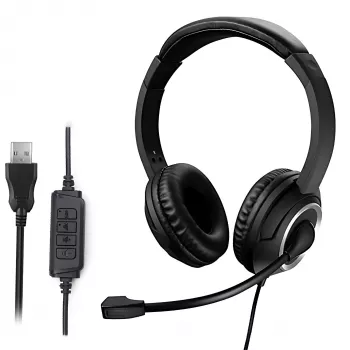
A noise cancelling microphone on a call center headset is designed to make your voice easier to understand by reducing the background sounds around you during calls. Instead of capturing everything happening in the room—like nearby conversations, keyboard clicks, HVAC noise, or office chatter—the mic prioritizes speech coming from close range and suppresses other audio before it’s sent to the person on the other end.
Most call center headsets use a directional microphone (often cardioid) and built-in processing to focus on the sound coming directly from your mouth. Because the mic is positioned close to your face, it can capture voice detail at a lower gain, which helps minimize the pickup of distant noise. The result is a clearer, more consistent voice signal that reduces misunderstandings, repeats, and caller fatigue.
What it changes for the person you’re calling
For the customer, a noise cancelling mic means fewer distractions and less effort to follow the conversation. They’ll hear more of your words and less of your environment—especially in busy support floors, shared workspaces, or home offices where background noise can spike unexpectedly.
What it doesn’t do
Noise cancelling on the microphone is not the same as noise cancellation in the earcups. It won’t make your room quiet, and it won’t remove every sound in extreme conditions. Sudden loud noises close to the mic (like coughing right next to you) may still be audible, and if the mic is positioned too far from your mouth, the headset may raise gain and pick up more background noise.
How to get the best results
Keep the mic boom about a finger’s width from the corner of your mouth, avoid aiming it directly in line with breath, and speak at a normal level. If your headset or softphone offers mic gain settings, set them just high enough for a strong voice signal without boosting room noise.
For more tips on choosing and using a headset for clearer conversations, visit this guide to clear calls with a noise-canceling headset mic.
FAQ
Does a noise cancelling microphone block out keyboard typing?
It can reduce typing noise, especially if the keyboard is farther from the mic than your mouth, but loud keystrokes may still be faintly heard if they’re close to the microphone or your mic gain is set too high.













Leave a comment