

HD Foldable RC Airliner Quadcopter: Easy HD Flight Tips
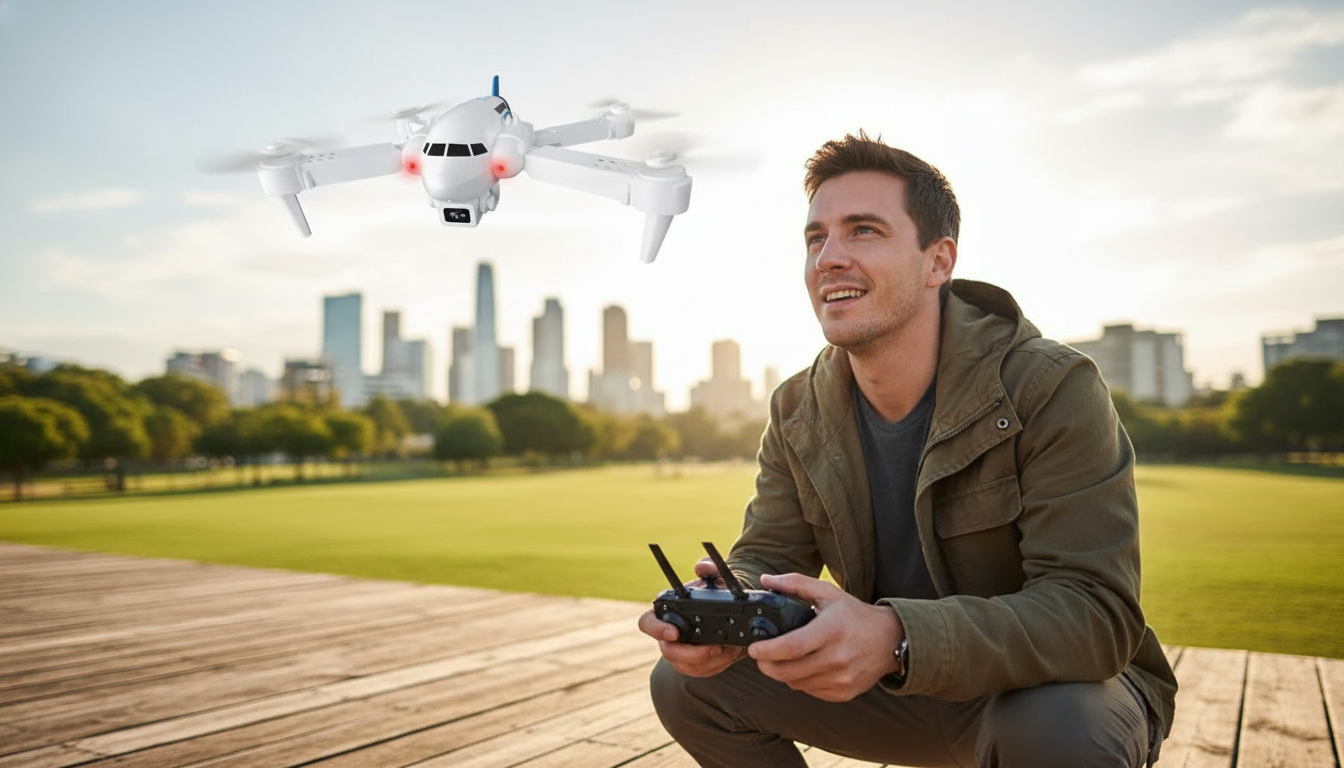
HD Foldable RC Airliner Quadcopter: Compact Flying, Clear Video, Easy Control
A foldable quadcopter built for quick outings: pack it small, launch fast, and capture smooth HD views from above. This guide breaks down what a compact “grab-and-go” quadcopter does best, what to double-check before takeoff, and how to get cleaner video and steadier control without complicated setup.
What This Quadcopter Is Best For
A lightweight, foldable RC quadcopter shines when the goal is simple fun and easy aerial perspective—without the commitment of larger gear. It’s a great match for casual pilots who want to practice basic stick skills and record short clips in good conditions.
- Casual outdoor flights in open spaces like parks and fields
- Learning basic quadcopter controls without jumping to expensive gear
- Short aerial clips and overhead photos for fun, scouting, or memories
- Travel-friendly use thanks to a foldable body that fits in smaller bags
If you’re ready to start with a compact option, the HD Foldable RC Airliner Quadcopter is an easy pick for weekend flying and quick launches.
Foldable Design: Why It Matters Day to Day
Foldable arms aren’t just a neat feature—they change how often you actually bring a quadcopter along. When a drone fits into a small bag pocket or a daypack, it’s more likely to get used.
- Foldable arms reduce storage space and help prevent snagging during transport
- Quicker setup: unfold, check props, and fly without bulky cases
- Helpful for occasional pilots who don’t want a permanent “drone backpack”
- Best practice: unfold on a flat surface and confirm each arm locks firmly before takeoff
A simple routine helps: unfold, gently wiggle each arm to confirm it’s seated, then spin each prop by hand to make sure nothing is rubbing before powering on.
HD Camera Expectations and Practical Tips
HD video on a small quadcopter can look surprisingly good in bright daylight, especially when you fly smoothly and keep the aircraft stable. The biggest upgrades usually come from technique rather than settings.
- HD video is ideal for daylight scenes; results improve with steady flying and smooth inputs
- Keep the lens clean and avoid pointing directly into the sun to reduce glare and haze
- Fly slower for clearer footage; sudden yaw spins can blur video and make clips harder to watch
- For best results, shoot with the sun behind the aircraft and keep the horizon level
One practical approach: treat the sticks like “dimmer switches,” not light switches. Gentle pressure and slower turns reduce vibration and help the camera capture cleaner frames.
Flight Performance Basics to Look For During Setup
Before chasing distance or altitude, aim for a predictable hover and reliable response. Small quadcopters are more affected by wind and sudden control inputs, so a cautious setup makes the whole session smoother.
- Choose low-wind days until comfortable; light quadcopters can drift in gusts
- Calibrate/level on a flat surface if the model or app provides that option
- Do a short hover test at low altitude before climbing higher
- Maintain line of sight and keep distance from people, pets, roads, and power lines
For safety reminders and current guidelines in the U.S., review FAA drone safety guidance and the NTSB safety overview for unmanned aircraft systems before flying in new areas.
Quick Comparison: What Affects Stability and Video Quality
Small quads can deliver enjoyable video, but they’re sensitive to real-world conditions. The good news: most problems have simple fixes.
| Factor | What You’ll Notice | Simple Fix |
|---|---|---|
| Wind | Drift, sudden lateral movement, unstable hover | Fly in calmer conditions; stay lower; pick sheltered areas |
| Low battery | Reduced lift, sluggish response, early landing | Start with a full charge; land when power drops |
| Prop damage | Vibration, wobble, noisy flight, blurry video | Inspect and replace props if bent or nicked |
| Fast stick inputs | Jerky video and wide swings in direction | Use gentle movements; practice smooth turns |
| Poor takeoff spot | Tip-over or immediate yaw/slide | Use a flat surface or a simple launch pad |
First Flights: A Simple Practice Plan
A short plan makes progress feel automatic. Keep early flights brief, land before you feel rushed, and build repeatable habits.
- Start with low altitude hover: 30–60 seconds to feel the controls
- Practice slow squares: forward, stop, right, stop, back, stop, left, stop
- Add gentle yaw turns while holding position to improve orientation skills
- Finish with controlled landings: descend slowly and avoid “dropping” the last few inches
A helpful milestone is “nose-in hover” (front facing you). It feels backward at first, but a few short sessions usually make it click.
Care, Storage, and Safer Handling
HD Foldable RC Airliner Quadcopter at a Glance
Popular Picks In Stock
- HD Foldable RC Airliner Quadcopter (portable flying and HD clips)
- Women’s Abstract Print Loose Hoodie (easy layer for breezy park days)
- Modern Glass Storage Jar with Golden Butterfly – Elegant Home Decor (decor-friendly storage and display)
- Ultrasonic Skin Scrubber Deep Face Cleaning Machine (at-home skincare tool)
FAQ
Is an HD foldable quadcopter good for beginners?
Yes—foldable budget quadcopters are a solid way to learn the basics because they’re easy to pack, quick to set up, and simple to practice with in open areas. Start on calm days, keep early flights low, and focus on smooth stick inputs for better control and video.
How can video look less shaky on a small quadcopter?
Fly slower, avoid wind, and use gentle turns instead of quick yaw spins. Also keep the lens clean, check props for bends or nicks, and film in bright daylight with the sun behind the aircraft for clearer footage.
Where is it safest to fly a small RC quadcopter?
Choose open fields away from people, trees, buildings, roads, and power lines, and keep the quadcopter within line of sight. Follow local rules and avoid restricted areas to reduce risk and interruptions.













Leave a comment