

Can You Use Rapid Trigger on Any Keyboard? What to Check

Can you use rapid trigger on any keyboard?
No. Rapid trigger requires a keyboard that can detect how far a key is pressed and released, then reset its input based on that movement. A standard mechanical keyboard usually has a fixed reset point, so installing software or changing keycaps will not add rapid trigger to it.
Many rapid-trigger keyboards use Hall effect switches, which measure key travel magnetically. Some other analog switch systems can offer similar adjustable reset behavior. The important point is that the keyboard’s hardware and firmware must support the feature. “Gaming keyboard” alone does not mean rapid trigger is available.
How do you tell whether a keyboard supports it?
Look for an explicit rapid-trigger feature, not just a fast polling rate or a low actuation point. Those features can affect responsiveness, but they do not make a key reset dynamically as you lift your finger. Adjustable actuation is useful, too, but it is not necessarily the same feature as rapid trigger.
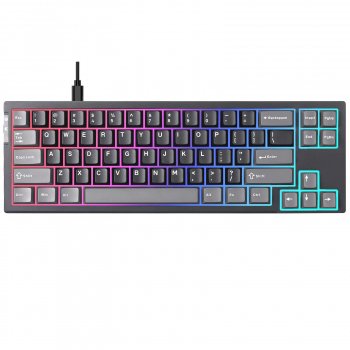
We recommend confirming that you can configure rapid trigger for the keys you use most. You may want a different setting for movement keys than for typing, shortcuts, or keys you tend to press accidentally. Our 68-key Hall effect rapid-trigger keyboard guide is a starting point if you’re considering that type of board.
Is rapid trigger worth using?
Rapid trigger can help when you repeatedly press and release the same key, especially for movement in games. Because the key can reset sooner on release, you may find it easier to make quick direction changes. It will not improve your connection or replace practice, and the most sensitive setting is not always the most comfortable one.
Start with a moderate setting on the keys where quick releases matter, then adjust it during normal play. If you get unintended inputs or find typing less predictable, make the setting less sensitive. We suggest keeping a separate typing profile when the keyboard’s software supports profiles, so you can switch without rebuilding your preferences each time.
FAQ
Should rapid trigger be on for all keys?
Not necessarily. Start with movement keys or other keys you need to press repeatedly, and leave less-used keys at a more forgiving setting if accidental inputs become a problem.
Is rapid trigger banned in CS2?
Rapid trigger itself is not the same as a feature that automates opposing movement inputs. Before competitive play, review the current CS2 rules for your mode or event and disable any keyboard feature that automates inputs.













Leave a comment