

15W iPhone Wireless Charger Stand with Adjustable Holder
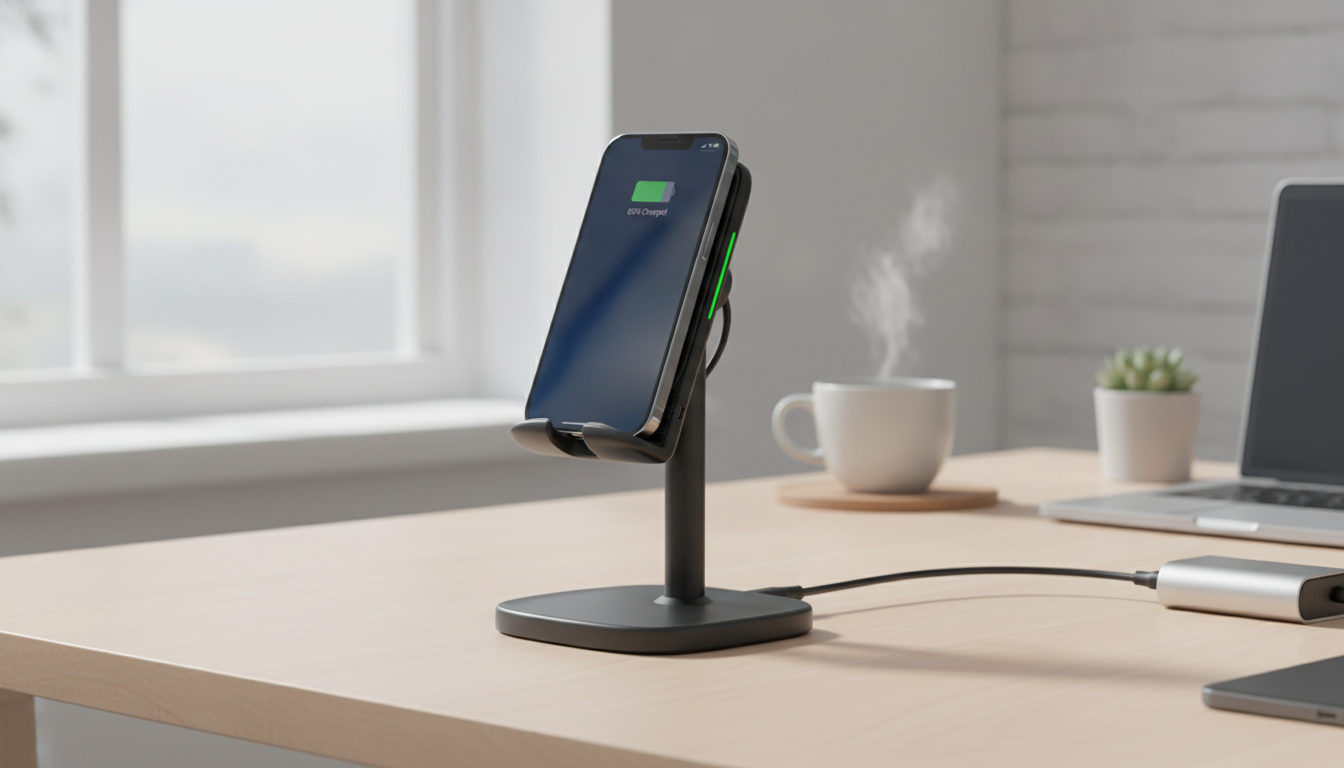
15W Wireless Charger Stand with Adjustable Phone Holder for iPhone: A Cleaner, More Usable Charging Setup
A wireless charging stand that keeps your iPhone upright and easy to view can simplify desk setups, nightstands, and video calls. Instead of laying your phone flat (and hoping it lands on the right spot), a stand creates a predictable “set it here” routine—especially helpful when you want notifications visible, need a timer running, or prefer a bedside clock-style view.
Below is what to expect from a 15W-class wireless charger stand with an adjustable phone holder, what influences real-world charging speed on iPhone, and how to set it up so charging stays consistent.
What a Wireless Charger Stand Adds to Daily Use
Compared with a basic charging pad or a cable that constantly gets tugged, an upright stand is built for quick, repeatable placement—without losing visibility.
- Keeps the screen visible for notifications, FaceTime, StandBy-style bedside viewing, and workday timers.
- Reduces cable wear caused by repeated plug/unplug cycles.
- Helps align the phone’s charging coil more consistently than many flat pads.
- Creates a single “drop zone” to charge at home or in an office.
Key Features to Look For in an Adjustable Phone Holder
Not all wireless stands feel the same in daily use. Small design details can make the difference between effortless charging and constant readjusting.
- Adjustable viewing angle to reduce glare and neck strain, especially at a desk or bedside.
- Stable base and non-slip contact points so the phone doesn’t slide when you tap to pause music or answer a call.
- Portrait and landscape support for scrolling, video watching, or video calls.
- Case-friendly charging range (slim cases typically work better than thick rugged cases).
- Safety protections such as over-current, over-voltage, and temperature protection for more confident overnight charging.
For broader compatibility context, the Wireless Power Consortium (Qi standard) explains how Qi wireless charging works across devices and accessories.
Product Snapshot: 15W Wireless Charger Stand for iPhone
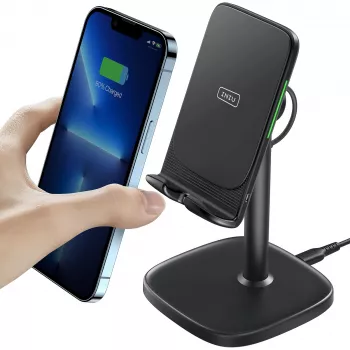
If you want a stand-style charger specifically for an iPhone-friendly routine—upright, visible, and easy to drop onto—consider the 15W Wireless Charger Stand for iPhone with Adjustable Phone Holder. It’s designed to hold the phone at a comfortable viewing angle while it charges, which is useful for desks, kitchen counters, and nightstands where hands-free visibility matters.
- Upright stand design with adjustable holder positioning for more comfortable viewing while charging.
- 15W-class wireless charging output (actual speed depends on iPhone model, power adapter, and supported charging protocol).
- Best results typically come from using a quality wall adapter and centering the phone on the charging area.
- A practical pick for spaces where you want your screen readable without picking up your phone.
At-a-glance details
| Item | Details |
|---|---|
| Product | 15W Wireless Charger Stand for iPhone with Adjustable Phone Holder |
| Price | $21.82 |
| Availability | In stock |
| Use case | Desk or bedside charging with screen visible |
| Holder | Adjustable stand/angle support |
Charging Performance: What “15W” Means for iPhone
“15W” on a wireless charger is best read as a capability class, not a guaranteed iPhone charging speed. Wireless charging rates can vary depending on device support, the charging standard used, and the power coming from your wall adapter. Many iPhones charge at lower wattage on generic Qi stands compared with MagSafe-certified solutions.
- iPhone model and supported wireless standard matter. Some iPhone models will not draw the full advertised wattage from a non-MagSafe Qi charger.
- The wall adapter can be the bottleneck. If the adapter can’t provide enough power (or is low quality), charging may slow down or connect intermittently.
- Heat management affects speed. Warm rooms, warm phone batteries, and thick cases can trigger protective slowdowns during wireless charging.
- Obstructions reduce efficiency. Metal attachments, thick wallets, or misalignment can prevent a stable charge.
Apple outlines the basics of compatible wireless charging and setup considerations in Apple Support: Wirelessly charge your iPhone.
Setup Tips for Reliable Stand Charging
A stand is easiest when it “just works” every time you set your phone down. These quick adjustments help prevent the most common charging hiccups.
- Start with a stable surface. Place the stand on a firm desk, nightstand, or counter. Avoid soft bedding where the base can tilt and shift coil alignment.
- Use a reputable adapter and cable. If the stand supports higher input, pair it with an adapter that matches the recommended wattage range so the charger isn’t starved for power.
- Center your iPhone on the charging zone. If charging doesn’t start, reposition slightly up/down until the indicator confirms charging.
- Test with your case. Slim cases often work fine; thick rugged cases, magnetic plates, pop-sockets, and wallet attachments frequently cause trouble. Remove them and retest if charging is inconsistent.
- Angle for comfort at night. For bedside use, tilt the phone to reduce reflections and keep notifications readable at a glance.
Who This Style of Charger Stand Fits Best
An adjustable wireless stand is most useful when you want both charging and visibility—without having to hold your phone.
- Work-from-home setups that need quick glances at calendars, calls, and messages.
- Nightstand charging where clock or alarm visibility matters.
- Kitchen counters for timers, recipes, and hands-free video.
- Shared spaces where a simple drop-on charger reduces cable clutter.
Extra Picks to Support a Cleaner Routine
- Calvin Klein Men’s Pochette & Grooming Bag — useful as a compact pouch for small daily carry items when you’re moving between office, gym, or travel.
- The Clear-Mind Decision Maker | Printable Mindfulness Checklist for Clarity & Calm Choices — a simple printable to help reduce mental clutter during busy workdays.
FAQ
Are there wireless 3-in-1 Apple chargers?
Yes—3-in-1 chargers typically power an iPhone, Apple Watch, and AirPods (or a second phone). Charging speeds and compatibility vary, so confirm Apple Watch support and which wireless standard is used for the iPhone charging surface.












Leave a comment