

17.3″ Waterproof USB Laptop Backpack: Travel & Work
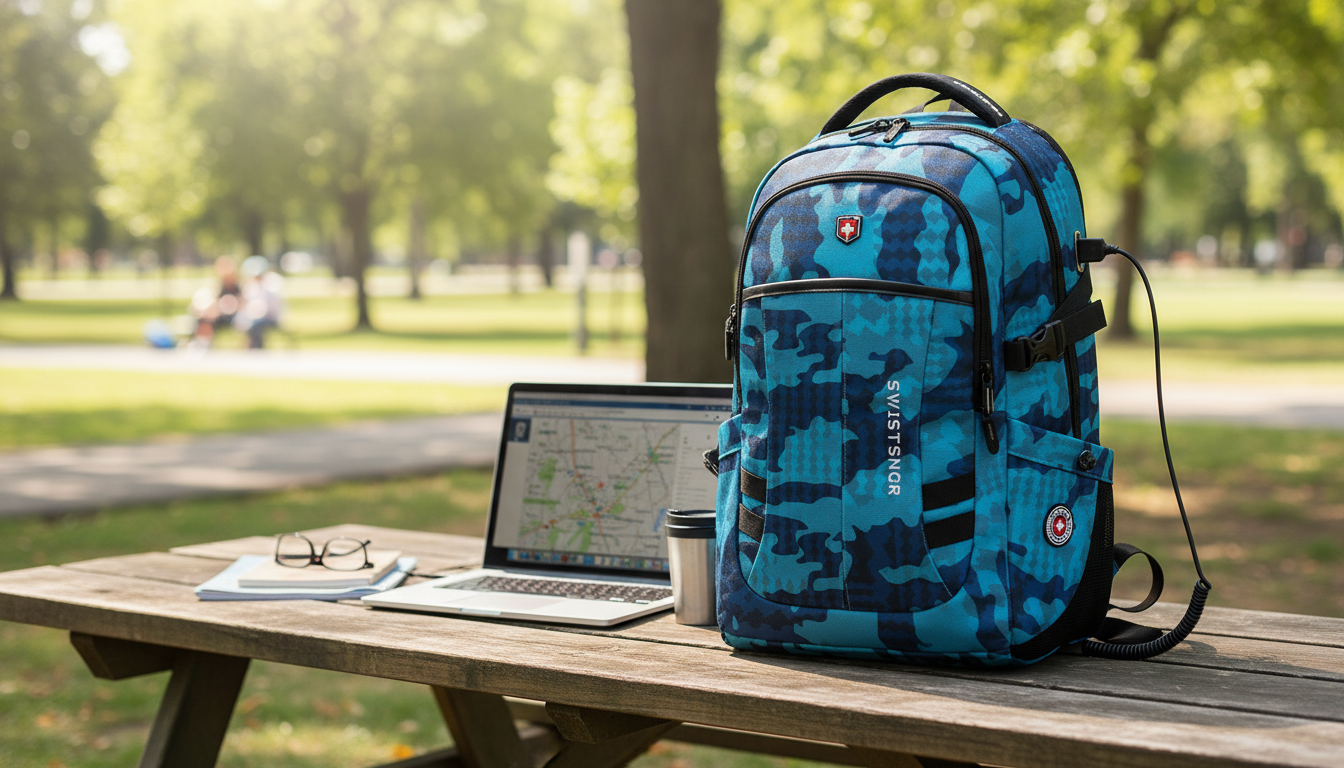
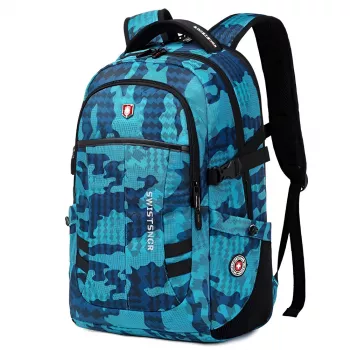
Waterproof 17.3″ USB Laptop Backpack for Men & Women – Travel, School, Business
A large laptop backpack has to balance protection, daily comfort, and quick-access organization—especially when it’s used across commuting, campus, flights, and client meetings. The right waterproof-style 17.3-inch backpack with a USB charging port can simplify how you carry your tech and essentials, while helping your laptop stay safer in crowded trains, busy hallways, and overhead bins. Below is a practical breakdown of what matters most, which build details actually change day-to-day performance, and how to set it up for smoother travel and workdays.
What This Backpack Is Built For
A 17.3-inch USB laptop backpack is designed for people who carry a bigger device and still need room for everything else. Compared with a shoulder bag, the goal is less strain, fewer “where did I put that?” moments, and better protection for tech you can’t afford to replace mid-trip.
- Fits larger laptops up to 17.3 inches while leaving space for books, folders, and an extra layer.
- Water-resistant exterior helps handle rain and splashes when paired with protected zippers and tight seams.
- USB pass-through supports on-the-go charging when connected to a power bank stored inside.
- Unisex, neutral styling suits office, school, and travel without looking overly sporty or bulky.
- Built to reduce daily friction: faster access to essentials, fewer cable tangles, and better weight distribution than shoulder bags.
Key Features to Look For in a Waterproof USB Laptop Backpack
Two backpacks can look similar online but perform very differently after weeks of commuting. Use the details below to sort “fine for light use” from “reliable for daily carry.”
- Laptop protection: Choose a dedicated padded sleeve sized for 17.3-inch devices. A false bottom (where the sleeve sits slightly above the bag’s base) helps prevent corner impacts when you set the backpack down.
- Water resistance: Coated fabric is a start, but construction matters: covered zippers, tight stitching, and fewer exposed seams around high-splash areas.
- USB charging design: A pass-through port is most useful when the internal cable is secure and the port housing is reinforced so it doesn’t loosen with repeated plugging.
- Carry comfort: Thick shoulder padding, a breathable back panel, and (when included) an adjustable sternum strap help reduce fatigue with a fully loaded bag.
- Organization: Separate zones for tech, stationery, and clothing help prevent pressure on the laptop and cut down rummaging during commutes.
- Travel-friendly touches: Look for a luggage pass-through sleeve, a quick-access pocket for phone/passport, and a stable interior spot for a power bank.
| Need | What to check | Why it matters |
|---|---|---|
| Big laptop fit | 17.3″ padded sleeve + false bottom | Reduces corner impacts and screen pressure |
| Rain protection | Coated fabric + zipper coverage | Keeps electronics and papers drier |
| Charging on the move | USB pass-through + stable internal cable | Charge without opening the bag |
| Comfort under load | Wide straps + breathable back panel | Less shoulder and back strain |
| Fast access | Top/front quick pocket | Smoother security checks and commuting |
| Clean storage | Separate compartments | Prevents clutter and device scratches |
How to Choose the Right Size and Layout (Travel, School, Business)
“17.3-inch” is a helpful label, but the best fit comes down to dimensions and how you pack. A smart layout also prevents the most common issue with large laptop bags: unnecessary bulk and poor balance.
Using the USB Port Safely and Practically
- A USB port on a backpack is typically a pass-through—not a built-in battery—so charging depends on a separate power bank stored inside.
- Keep the power bank in a dedicated pocket to prevent cable strain and accidental unplugging while walking.
- Use a short internal cable to reduce wear; avoid sharp bends near the port housing.
- In heavy rain, treat the USB opening as a potential water entry point: minimize exposure and store devices deeper inside interior pockets.
- For flights, pack the power bank where it’s easy to remove if requested and follow carry-on rules for spare lithium batteries (see TSA guidance on lithium batteries and power banks).
For compatibility and cable quality, it also helps to stick with standards-based USB accessories; the USB Implementers Forum (USB-IF) is a useful reference point for specifications.
Waterproof vs. Water-Resistant: What to Expect in Real Life
Comfort and Load Management for a 17.3″ Setup
Care Tips That Extend Lifespan
FAQ
Does a USB laptop backpack include a built-in power bank?
Most USB laptop backpacks use a pass-through port, not a built-in battery. You place your own power bank inside the backpack and connect it to the internal cable.
Will a 17.3-inch laptop backpack fit smaller laptops securely?
Yes, smaller laptops typically fit, but they may shift more in a large sleeve. Using a thin laptop case or a snug padded sleeve helps keep the device stable.
How waterproof is a waterproof laptop backpack in heavy rain?
In most cases it’s water-resistant for rain and splashes, not fully waterproof for prolonged exposure. Zippers and seams are the most common leak points, so a rain cover or internal waterproof pouch is a smart add-on for heavy downpours.











Leave a comment