

2-in-1 iPad Charging Stand: Wireless Power for iPhone
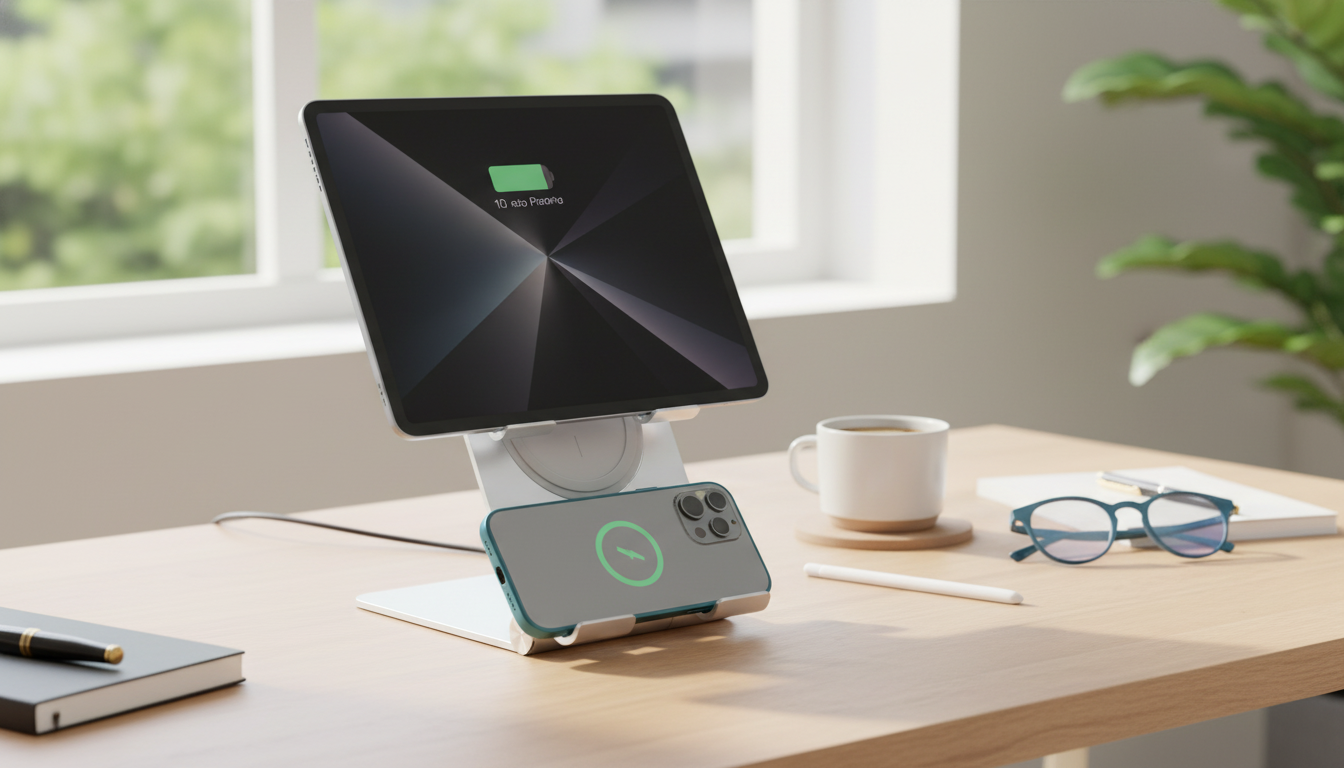
2-in-1 Wireless Charging Stand for iPad & Apple Devices: A Cleaner Desk Setup
A 2-in-1 charging stand can make everyday charging feel automatic: your iPad stays upright for work or entertainment while a nearby wireless spot tops off an iPhone or compatible accessories. The result is fewer loose cables, fewer “where did I put my charger?” moments, and a more consistent place to set devices down at the end of the day.
Because iPads and iPhones don’t share the same charging behaviors (most iPads still charge by cable), the best stand is the one that matches your iPad’s connector, supports your device sizes securely, and delivers enough power to run two charging zones without hiccups.
What a 2-in-1 iPad + Apple Device Charging Stand Does
- Combines device support and power delivery in one footprint to reduce cable clutter.
- Keeps the iPad propped for viewing, reading, calls, recipes, or desk work while it charges.
- Charges a second Apple device (commonly iPhone or AirPods case) on a dedicated wireless pad/spot.
- Helps create a consistent “drop zone” so devices are less likely to be left uncharged.
Compatibility Checklist Before Buying
- Confirm the iPad charging method: most iPads charge via USB-C or Lightning cable; true wireless charging is generally for iPhone/AirPods, not iPad.
- Verify the stand supports the iPad size and weight: screen size, case thickness, and center-of-gravity matter for stability.
- For iPhone wireless charging, confirm Qi (and if needed Qi2): the stand should support the charging standard your phone expects and provide suitable wattage for your iPhone model.
- MagSafe-style alignment: check whether the stand uses magnets or a standard Qi pad; magnetic alignment can reduce placement errors and “almost charging” situations.
- AirPods case capability: some AirPods charging cases support wireless charging, while others require Lightning/USB-C only.
How to Choose the Right Stand (Fit, Power, and Daily Use)
- Stability first: a weighted base or anti-slip pads help prevent tipping when you tap the iPad screen or adjust the angle.
- Viewing angles: an adjustable tilt is ideal for switching between typing, video calls, and watching videos—especially if the stand moves between desk and nightstand.
- Case-friendly design: wireless zones usually work through many everyday cases, but thick cases can reduce charging reliability or speed.
- Cable management: look for routing that keeps cables tidy and avoids sharp bends at the connector (a common weak point over time).
- Power input requirements: confirm the stand’s recommended wall adapter wattage so both charging areas can operate at full speed without dropouts.
- Heat management: designs that allow airflow around the charging surface tend to perform more consistently during long sessions.
- Travel vs. stationary: foldable stands pack easily, while heavier stands typically feel more solid for daily desk use.
Charging Performance and What to Expect
- Wireless speeds vary: iPhone charging performance depends on the model, charger wattage, and alignment. Real-world wireless charging is often slower than plugging in a cable.
- Active iPad use affects speed: video calls, gaming, and high brightness can slow charging, especially if the iPad is also powering accessories or running intensive apps.
- Two devices at once needs more power: an underpowered wall adapter can cause intermittent charging, flickering indicators, or a phone that connects/disconnects on the pad.
- Learn the indicator lights: many stands use LEDs to show charging, full charge, foreign object detection, or misalignment. Knowing the “error” pattern saves time.
| Setup | Best for | Trade-offs | What to check |
|---|---|---|---|
| iPad wired + iPhone wireless (Qi/Qi2) | Desk use with iPad upright and iPhone drop-and-charge | Wireless is usually slower than wired for iPhone | Adapter wattage supports both outputs at once |
| iPad wired + AirPods wireless | Nightstand or minimal daily carry | AirPods placement can be finicky on small pads | Case supports wireless charging; indicator confirms alignment |
| iPad wired only (stand used mainly as dock) | Stable iPad viewing and cable organization | No wireless convenience for phone | iPad connector fit with case; strain relief for cable |
| Phone wireless only (stand used mainly as phone charger) | Minimal desktop footprint | Doesn’t solve iPad charging needs | Phone model support (Qi/Qi2), case thickness, alignment |
Setup Tips for a Reliable Charging Routine
Safety, Heat, and Device Care
- Some warmth is normal: wireless charging creates heat, but excessive warmth can signal misalignment, a thick case, or an adapter delivering unstable power.
- Keep ventilation clear: don’t stack items on the charging surface or block airflow around the stand.
- Use reputable charging accessories: Qi-certified hardware helps reduce compatibility surprises across phones and cases. You can verify the Qi standard and certification approach through the Wireless Power Consortium.
- Reduce heat during long iPad sessions: lowering brightness and closing intensive apps can help when charging while on long calls or streaming.
- Support battery longevity: instead of holding devices at 100% for long periods when not needed, topping up during the day can be gentler on batteries. Apple’s notes on Optimized Battery Charging provide helpful context.
Who This Style of Stand Suits Best
FAQ
Do iPads support wireless charging on a stand like an iPhone?
Most iPads charge by USB-C or Lightning cable rather than wireless charging. Many “wireless stands for iPad” still power the iPad with a wired connection while offering wireless charging for an iPhone or AirPods on a second pad.
Why does wireless charging stop or start intermittently?
The most common causes are misalignment on the charging coil, a thick or incompatible case, an underpowered wall adapter, foreign object detection (like coins or metal plates), or heat-triggered safeguards. Testing without the case and using the stand’s recommended power adapter often resolves it.
Will wireless charging work through an iPhone case?
Many standard cases work, but thick cases or cases with metal accessories can reduce charging reliability or stop it entirely. Avoid metal plates and confirm your case is compatible with the charging standard and alignment method you’re using.











Leave a comment