

Wireless Gaming Headset Guide: Low Latency, Clear Comms
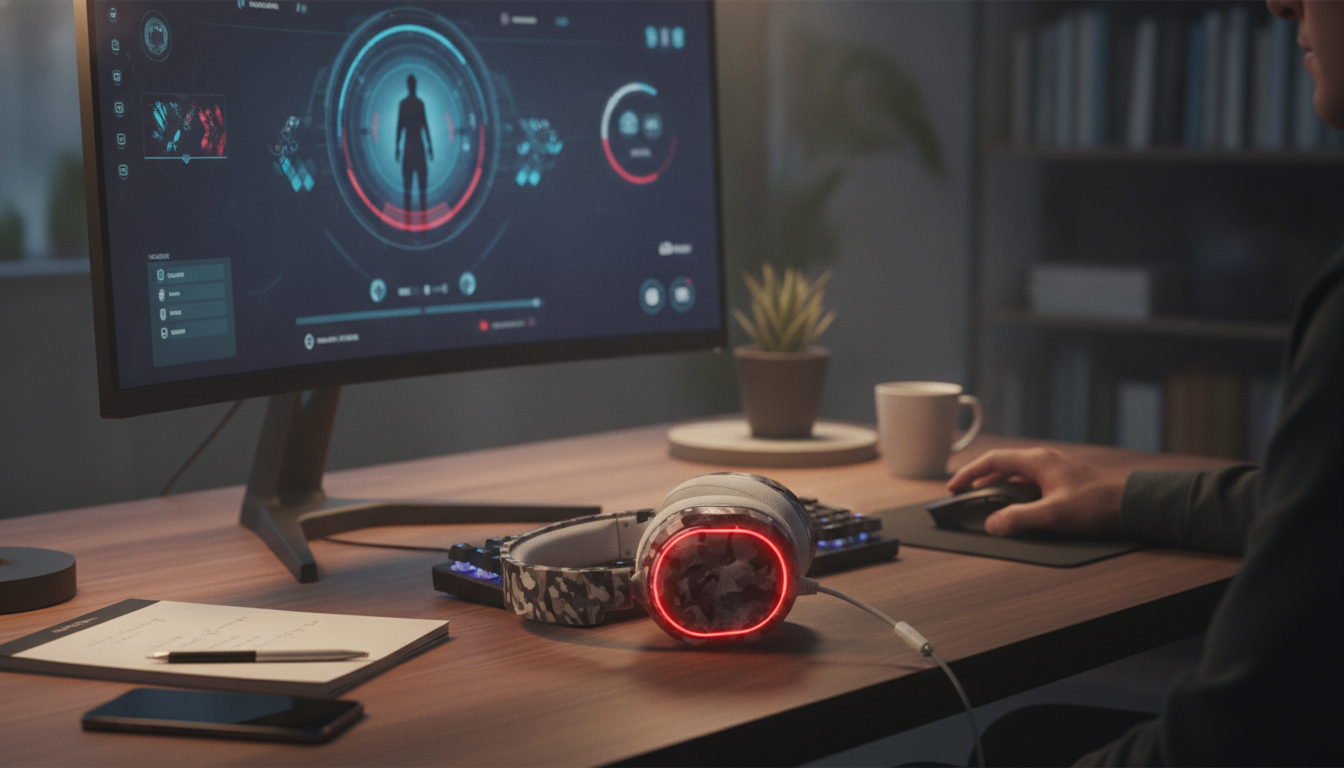
Wireless Gaming Headset: What Matters Most for Competitive Play and All-Day Comfort
A wireless gaming headset can deliver clean positional audio and clear chat without the cable tug—if the fit, latency, and mic performance match the way games are actually played. The right setup makes it easier to track footsteps, react to ability cues, and stay comfortable through long queues, scrims, or weekend sessions. Below is a practical breakdown of what changes when you cut the cord, which specs impact performance the most, and how to dial in audio for clarity instead of clutter. For more guidance, see SteelSeries H Wireless – Overall and FV – LanOC Reviews.
What a wireless headset changes (and what it doesn’t)
Going wireless improves day-to-day usability, but it doesn’t magically fix weak tuning or an uncomfortable fit. The best results come from pairing the right connection type with a headset that’s built for long wear and consistent audio. For further reading, see Top Wireless Gaming Headsets That Deliver Epic Sound.
- Freedom of movement: Easier desk setup, fewer snags when standing up, and smoother controller swaps—especially if you play on a couch and rotate between devices.
- Wireless can still be fast: A 2.4 GHz USB dongle is typically the go-to for low-latency gaming. Bluetooth is convenient, but delay varies by device and codec (Bluetooth audio basics are outlined by the Bluetooth SIG).
- Battery becomes part of the routine: Charging cadence, auto-standby behavior, and “play while charging” can matter as much as the rated battery hours.
- Comfort matters more: Without a cable reminding you to take a break, you’ll notice clamp force, padding, and heat buildup sooner.
Key features that actually affect gameplay
Latency and connection type
If you play shooters, fighters, or rhythm games, latency is a real performance variable. A dedicated 2.4 GHz dongle connection is usually the safest pick for consistent low delay. Bluetooth can be perfectly fine for casual play, voice calls, or pairing to a phone—just don’t expect the same responsiveness across every platform.
Positional audio performance
Competitive clarity usually comes from a balanced sound where mids and highs stay clean. Footsteps, reloads, and ability cues live in those regions; overly boosted bass can mask detail and make front/back cues feel vague. If you like extra rumble for immersion, aim for bass that’s controlled rather than dominating.
For a deeper look into how headphones are evaluated and measured, RTINGS provides a helpful overview of test methodology: RTINGS — Headphones Testing and Measurement Methodology.
Microphone clarity (team comms win matches)
A good boom mic keeps speech intelligible while reducing room noise—keyboard clacks, fans, and nearby voices. Features that matter in practice include noise reduction that doesn’t distort your voice, plus mic monitoring (sidetone) so you don’t end up shouting during tense rounds.
Controls you can find by touch
In-game menus are the worst place to adjust audio mid-fight. Look for tactile controls like a real volume wheel, a reliable mute switch, and (when supported) a game/chat mix control. The goal is quick adjustments without taking your eyes off the match.
Range and stability
Range specs assume ideal conditions. In real rooms, walls, Wi‑Fi congestion, and where your USB port sits can make or break stability. A simple upgrade: use a short USB extension and place the dongle closer to the headset with clearer line-of-sight to reduce dropouts.
Platform compatibility
Before buying, confirm whether a headset supports PC, PlayStation, Xbox, and Switch—and how. Some models use a USB dongle for PC/console, others rely on a console-specific wireless protocol, and some offer Bluetooth as a secondary option. If you need console troubleshooting help, Microsoft’s official guidance is a solid reference point: Microsoft Support — Set up and troubleshoot Xbox Wireless Headset.
Comfort and build for long sessions
Quick checklist: what to compare before buying
| Feature | Why it matters | What to look for |
|---|---|---|
| Wireless mode | Determines latency and stability | 2.4 GHz for competitive play; Bluetooth for convenience |
| Battery & charging | Affects daily usability | Long runtime, USB-C, usable while charging |
| Microphone | Team comms and streaming clarity | Clear voice, noise reduction, sidetone, easy mute |
| Comfort | Long-session fatigue | Breathable pads, balanced weight, reasonable clamp |
| Controls | Fast adjustments mid-game | Tactile volume, mute, chat mix (if supported) |
Setup tips for clearer footsteps and cleaner chat
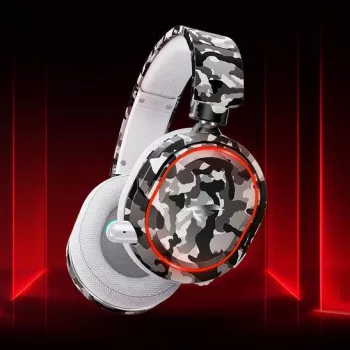
Featured pick: Wireless Gaming Headset
If the goal is to cut the cable while keeping game audio and voice chat in one device, the Wireless Gaming Headset is a straightforward option for everyday gaming sessions. Before checkout, confirm the connection type and platform support you need (dongle vs. Bluetooth), since that choice has the biggest impact on competitive responsiveness.
Product snapshot
| Item | Price | Availability |
|---|---|---|
| Wireless Gaming Headset | $86.82 | In stock |
Two helpful add-ons (also in stock)
- Travel/storage organization: A small organizer can keep your headset cable, USB dongle, and adapters together between setups. Calvin Klein Men’s Pochette & Grooming Bag
- Pre-match focus routine: If tense comms or ranked pressure affects consistency, a quick checklist can help you reset between games. The Clear-Mind Decision Maker | Printable Mindfulness Checklist
FAQ
Is the Xbox Wireless Headset good for gaming?
It’s generally a solid value for Xbox players thanks to convenient console pairing and a good feature set, but comfort, mic sound, and tuning still depend on personal preference. For highly competitive play, prioritize the lowest-latency connection and strong positional clarity over extra features.











Leave a comment