

Magnetic Stylus for iPad & iPhone: Clean, Easy Control
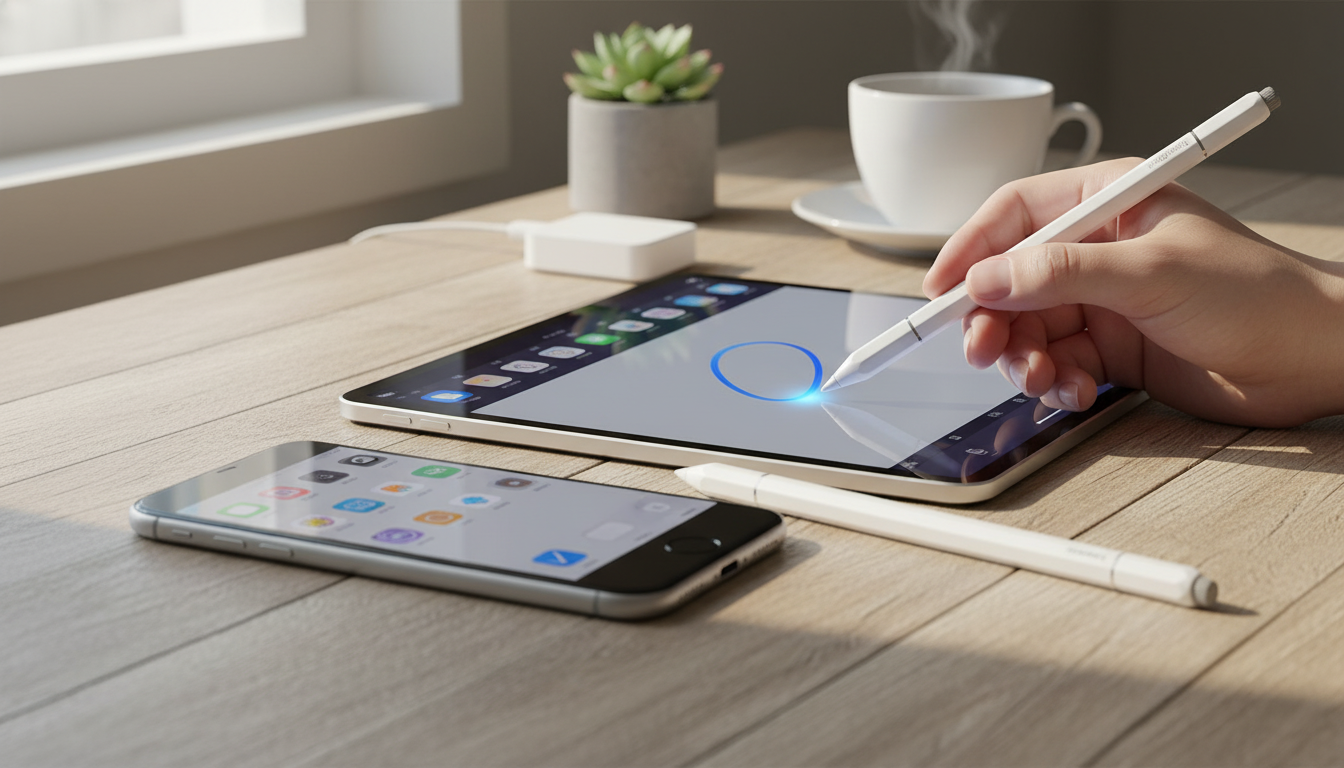
Everyday Precision for iPad and iPhone, Without the Fuss
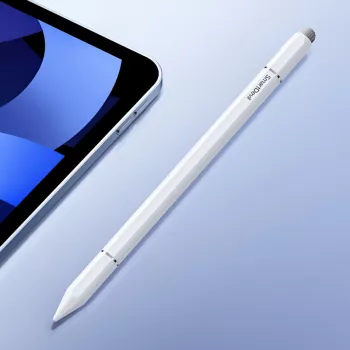
A capacitive stylus is an easy upgrade for day-to-day touchscreen use—especially when you want cleaner taps, steadier scrolling, and handwriting-style notes that feel more controlled than a fingertip. The Magnetic Capacitive Stylus Pen for Apple iPad & iPhone is built for simple, reliable interaction across common apps, whether you’re commuting, studying, traveling, or working from a couch or coffee shop.
Because it’s capacitive, it works by registering touch the way your finger does—so there’s typically no pairing step, no charging routine, and no learning curve. You just pick it up and start tapping, swiping, and writing.
What This Stylus Is Best For
- Smoother tapping and swiping than a fingertip for everyday navigation
- Quick notes, checklists, and marking up screenshots with better control
- Basic sketching and diagramming when ultimate pressure sensitivity isn’t required
- Reducing screen smudges and keeping a steadier hand on glass
- A practical backup stylus to keep in a bag, car, or desk drawer
If most of your iPad or iPhone time is spent in Notes, email, calendar, web browsing, messaging, or light creative apps, a capacitive stylus can make everything feel a bit more intentional—especially when you’re tapping small interface elements or editing on the go.
Magnetic Design and Handling
One of the most convenient features of this stylus is its magnetic design. Magnetic attachment can help keep the stylus close to compatible devices or magnetic surfaces—handy for quick storage between meetings, classes, or errands, and helpful for reducing the odds of leaving it behind.
- Magnetic attachment supports simple, “always nearby” storage
- Comfort-focused shape for longer note sessions and reduced finger fatigue
- Lightweight feel for quick interactions, from selecting text to navigating apps
- Portable option for commuters, students, and remote work setups
For many users, the biggest win is comfort: a stylus gives your hand a more pen-like posture compared to hovering a fingertip above glass, which can feel awkward during longer note-taking sessions.
Capacitive Tip Performance on iPad and iPhone
Capacitive styluses work by mimicking a fingertip so your iPad or iPhone reads the touch point naturally. That makes them a strong fit for general touch actions, such as:
- Tapping icons, buttons, and menus
- Scrolling feeds or documents with less accidental tapping
- Dragging sliders, trimming clips, or scrubbing timelines with more control
- Simple drawing, doodling, and shape sketching
They can be especially helpful when the interface is tight—like closing small pop-ups, selecting spreadsheet cells, or placing the cursor more carefully. Line quality can vary depending on your app, your screen protector, and settings like stroke smoothing or stabilization. A glass screen will feel different than a matte protector, and some drawing apps intentionally “stabilize” lines to look cleaner.
Compatibility and Expectations
This stylus is designed for iPad and iPhone touchscreen interaction across everyday apps: notes, browsers, email, messaging, and basic drawing tools. It’s important to set the right expectations for any capacitive stylus:
- Capacitive models typically don’t add Apple Pencil-exclusive features like pressure sensitivity or tilt shading unless explicitly supported by a specific stylus/device/app combination.
- If palm rejection is essential for heavy handwriting, check whether your notes app has a dedicated writing mode that reduces accidental touches.
- Responsiveness is best on a clean screen; oily residue or dust can create drag or skipping.
For reference on Apple Pencil capabilities and supported iPad models, Apple’s guide is a useful comparison point: Apple Support: Use Apple Pencil with iPad. And if your goal is smoother everyday navigation, it helps to know how iPad gestures are intended to work: Apple Support: About Multi-Touch gestures on iPad.
Quick Setup and Best Practices
Most capacitive styluses are ready immediately—no Bluetooth pairing step required. For the cleanest feel day to day, a few small habits make a noticeable difference:
Stylus vs. Finger vs. Advanced Active Stylus
| Option | Best for | Strengths | Trade-offs |
|---|---|---|---|
| Finger | Quick navigation and gestures | Always available; natural multi-touch | Less precision; more smudges |
| Capacitive stylus (this type) | Notes, tapping, scrolling, simple sketches | Better control; cleaner screen; no pairing needed | Typically lacks pressure/tilt features |
| Advanced active stylus | Detailed art and heavy handwriting | Palm rejection; pressure/tilt (device-dependent) | Higher cost; may require charging/pairing |
Care, Storage, and Longevity
Who This Stylus Makes Sense For
More In-Stock Finds
- Stainless Steel Non-Stick Rolling Pin Set for Baking & Kitchen Use
- Beautiful Stainless Steel Shell Spoon – Elegant Kitchen Ladle Set
- Elegant Cork Stopper Glass Storage Jar – Transparent Food & Tea Container
FAQ
Will a capacitive stylus work on both iPad and iPhone?
Yes. Capacitive styluses generally work on most iPad and iPhone touchscreens for tapping, swiping, and writing-style input, and they typically don’t require pairing. Performance can vary depending on the app you’re using and whether you have a screen protector installed.
Does this kind of stylus support palm rejection like an Apple Pencil?
Usually not. Palm rejection is most often tied to Apple Pencil or other active styluses and supported devices/apps, while a capacitive stylus typically behaves like a finger touch. Some note apps offer writing modes that help reduce accidental touches, but it isn’t the same as system-level palm rejection.
Why does the stylus sometimes skip or feel less responsive?
Skipping is commonly caused by a dirty screen, residue on the tip, certain matte protectors, or an inconsistent contact angle. Cleaning the screen, adjusting your grip to keep steady contact, and trying a different notes/drawing app or smoothing setting can often improve consistency.












Leave a comment