

70W Bluetooth Soundbar + Wireless Subwoofer Setup Guide
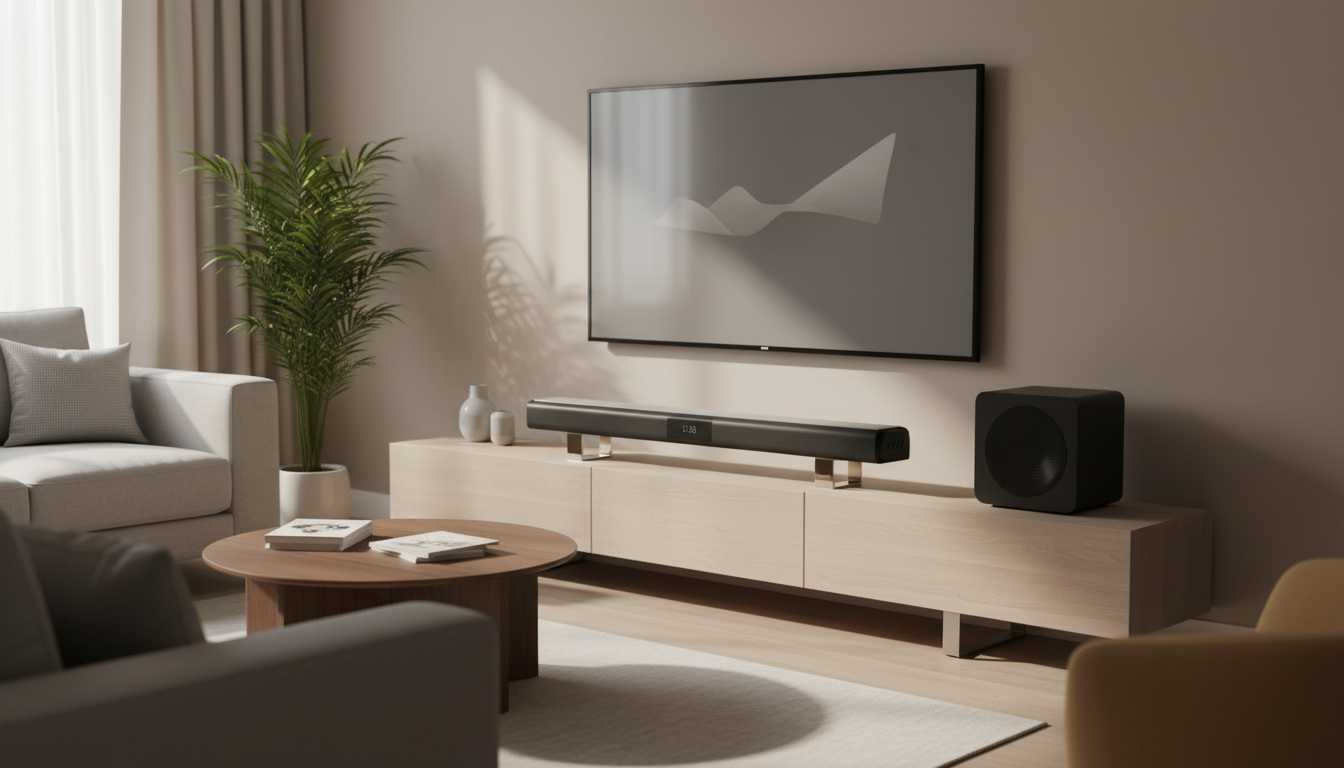
70W Bluetooth Soundbar with Wireless Subwoofer for Room-Filling Home Theater Sound
A compact soundbar paired with a wireless subwoofer can deliver clearer dialogue, wider sound, and deeper bass than built-in TV speakers—without the complexity of a full receiver system. A 70W Bluetooth soundbar setup is a practical upgrade for everyday streaming, sports, and casual music, especially in smaller living spaces where clean volume and simple control matter more than a rack of components. Below is what to expect, how to place each piece for smoother performance, and which connections usually lead to the fewest headaches.
What This Soundbar System Adds to a TV Setup
Most flat-panel TVs trade speaker size for a slim profile, which often leads to thin sound and dialogue that gets lost when action scenes get loud. A soundbar-and-sub combo addresses those weak points with a wider speaker array up front and dedicated low-frequency output from the subwoofer.
- Stronger, clearer audio than most flat-panel TV speakers, especially for dialogue-heavy shows
- Separate wireless subwoofer for low-end impact in movies, sports, and music
- A streamlined footprint that fits on a console or mounts under a TV
- Simple switching between TV audio and Bluetooth streaming from a phone or tablet
Key Features That Matter Day to Day
Spec sheets can be noisy, but a few real-world features tend to determine whether a soundbar feels effortless or finicky. For a 70W system, the goal is reliable connections, easy control, and enough flexibility to tame bass in smaller rooms.
- 70W total output: typically enough for small-to-medium rooms, with headroom for peaks in action scenes
- Wireless subwoofer: reduces cable clutter and makes bass placement more flexible
- Bluetooth playback: convenient for casual music listening and quick pairing
- Sound modes and EQ options (if included): helps tailor output for movies, news, or late-night listening
- Remote control and onboard buttons: fast volume and input changes without digging into TV menus
Quick Checklist Before Buying
| Need | Why it matters | What to look for |
|---|---|---|
| TV connection | Determines volume control and audio stability | HDMI ARC/eARC preferred; optical as a reliable fallback |
| Room size | Affects loudness and fullness | 70W suits small/medium rooms; larger rooms may need more power |
| Subwoofer placement | Bass can boom or disappear depending on location | Wireless sub with adjustable level is ideal |
| Dialogue clarity | Voices can get buried in effects | Dialogue/voice mode, center emphasis, or clear EQ presets |
| Night listening | Prevents disturbing others | Night mode, dynamic range control, or easy bass reduction |
Sound Performance: Dialogue, Bass, and Spaciousness
A 70W soundbar with a separate subwoofer can feel like a major step up even without true surround speakers. The biggest improvements usually show up in three areas: voices, bass impact, and a wider “front wall” of sound.
- Dialogue: better intelligibility usually comes from a dedicated soundbar speaker array and tuned mids; aim for a voice/dialogue mode when available
- Bass: the wireless subwoofer handles low frequencies that a slim bar cannot reproduce well; bass level adjustment helps avoid overpowering small rooms
- Soundstage: a wider bar generally produces a broader left/right spread; placement and wall reflections influence perceived width
- Volume behavior: higher output should remain clean at typical listening levels; distortion often shows up when pushing near maximum
- Content matching: movies benefit from deeper bass and wider staging, while news and podcasts benefit from midrange clarity
If dialogue still feels “behind” music and effects, try reducing the subwoofer level slightly and switching to a dialogue/voice preset. In many rooms, that simple balance change is more effective than cranking the overall volume.
Connections and Compatibility
For most setups, the best connection is the one that stays stable, supports your TV’s remote volume control, and doesn’t introduce lip-sync issues. If you’re comparing ports, start with HDMI ARC/eARC, then fall back to optical if needed.
- HDMI ARC/eARC (if supported): enables one-remote volume control and automatic switching with the TV; see the official HDMI overview for ARC/eARC behavior on compatible TVs and devices at HDMI.org
- Optical (TOSLINK): dependable digital connection for many TVs; may require enabling PCM output on some models
- Analog AUX/3.5mm (if supported): useful for older TVs or projectors, though typically less flexible than digital
- Bluetooth: best for music and casual listening; expect a small delay that may not be ideal for watching video on a phone/tablet (Bluetooth behavior varies by device and version; details are maintained by the SIG at Bluetooth.com)
- Lip-sync: if audio feels behind or ahead, check the TV’s audio delay setting or the soundbar’s sync controls
Placement and Setup for Better Results
For general speaker placement principles (including how walls and corners affect low frequencies), Dolby’s setup guidance is a helpful reference point: Dolby Speaker Setup Guides.
How to Choose the Right Soundbar + Subwoofer Combo
Common Issues and Quick Fixes
FAQ
Is a 70W soundbar with a wireless subwoofer enough for a living room?
It’s typically a good fit for small-to-medium living rooms, especially if you sit within a moderate distance of the TV. Larger rooms or very open floor plans may benefit from more power, a larger subwoofer, or additional speakers to maintain fullness at higher volumes.
What is the best connection for a soundbar: HDMI ARC or optical?
HDMI ARC is usually best for convenience because it can enable TV-remote volume control and automatic switching. Optical is often the most reliable fallback when ARC/CEC acts up or when you want a simple, stable digital connection.
Where should a wireless subwoofer be placed for smoother bass?
Start near the front of the room slightly off-center, then move it a few inches at a time to reduce boominess or weak spots. Corners can increase bass output but may sound too “thick,” so small adjustments away from the corner often smooth the response.












Leave a comment